Guide · Schools
Stream your school’s annual day for parents
Parents at work, grandparents at home, family in other cities: let them all watch the children perform live. Two phones and one teacher can run it.
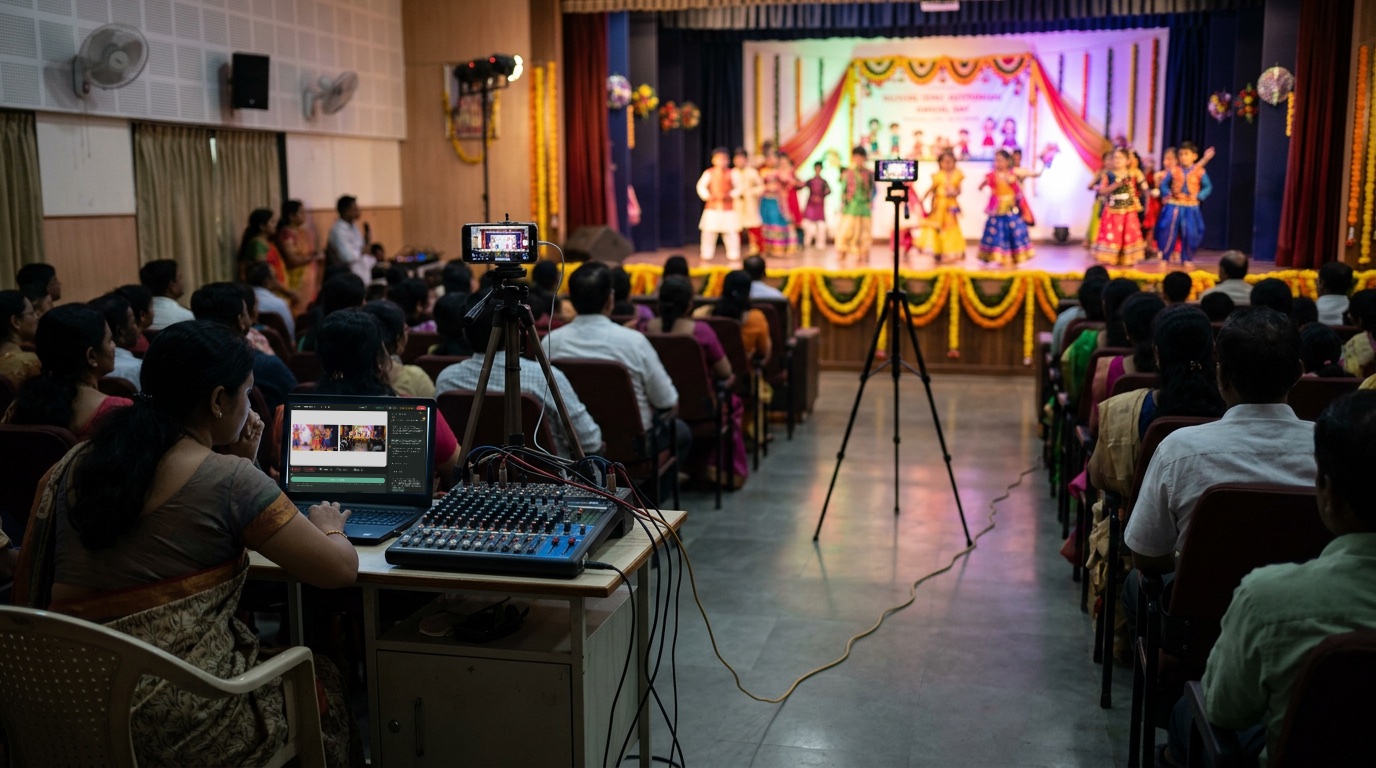
What you need
- 2 phones: one on a tall stand facing the stage, one for close-ups
- A tall stand (about 7 ft) to see over the audience
- Plug points or power banks: programmes run for hours
- The school’s Wi-Fi or good 4G
- A laptop for the teacher running it
How to do it
- Tell Sae about the event. Press ✨ Create a session and write one line, like “St. Mary’s annual day, Friday 5 pm, for parents”.
- Turn the phones into cameras. Press Invite guest, send the link on WhatsApp and open it on each phone.
- Add the programme as steps. Open Sae and type “Plan my show”, with your list of items: welcome, dance, play, prize giving, thank you.
- Go live. Press Go live, and tap each step as each item begins. The name of the item shows on screen.
Good to know
- Keep it unlisted, and share the link only with parents.
- Follow your school’s rules about showing children online.
- Test the stage camera and the signal the day before.
Set up your first show with Sae 冴え™ in a minute.Tell her about your show in a sentence; she does the rest.
Start free trialFree for 7 days, with every feature and 2 hours of live or recording. No card needed. Terms apply.