Guide · Selling
Sell live on YouTube and Instagram, by yourself
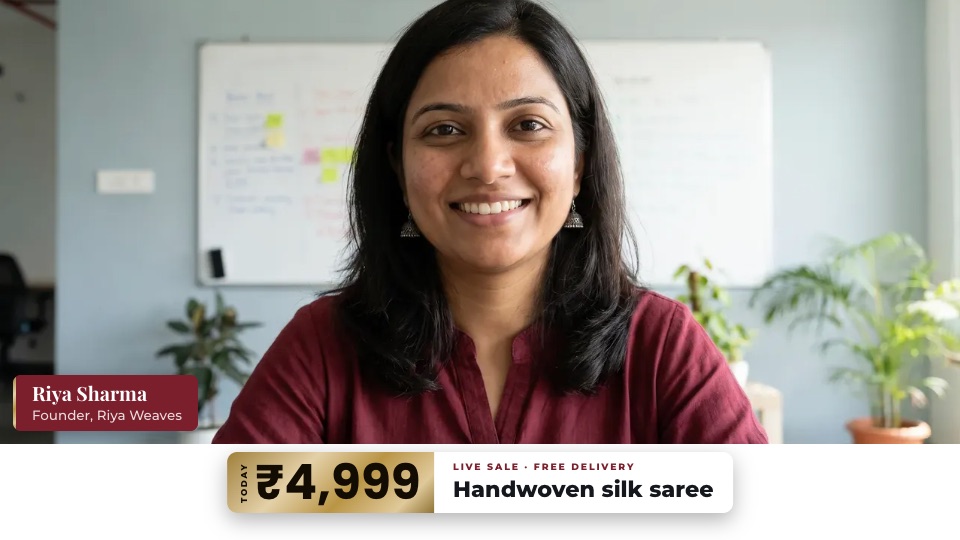
Show your products live, answer questions, and put the price right on screen. You can run it all yourself, from one laptop and one phone.
What you need
- Your laptop camera, or a phone on a stand, for you
- A second phone looking down at the table, for close-ups
- A ring light (about ₹2,000–4,000 for a big one)
- A clip-on mic (from about ₹250)
How to do it
- Tell Sae about your sale. Press ✨ Create a session and write one line, like “Diwali saree sale, Friday 8 pm, on YouTube”. Ask for a vertical copy too, for Instagram Reels.
- Add your close-up camera. Under People, press + Add a device and scan the code with your second phone.
- Make price banners. Ask Sae: “A banner for the silk saree, ₹4,999, free delivery.” For payments, give her your UPI ID: she adds a QR code.
- Go live. Press Go live. Tap a step to show the close-up and the price together.
Good to know
- Show one product at a time, slowly, in good light.
- Read the comments out loud and answer by name.
- Keep a list of your products and prices ready before you start.
Set up your first show with Sae 冴え™ in a minute.Tell her about your show in a sentence; she does the rest.
Start free trialFree for 7 days, with every feature and 2 hours of live or recording. No card needed. Terms apply.