Guide · Memorials and prayer meetings
Share a memorial or prayer meeting with family who can’t come
When loved ones can’t travel, they can still be part of the prayers. One phone and one person can share the gathering quietly and respectfully.
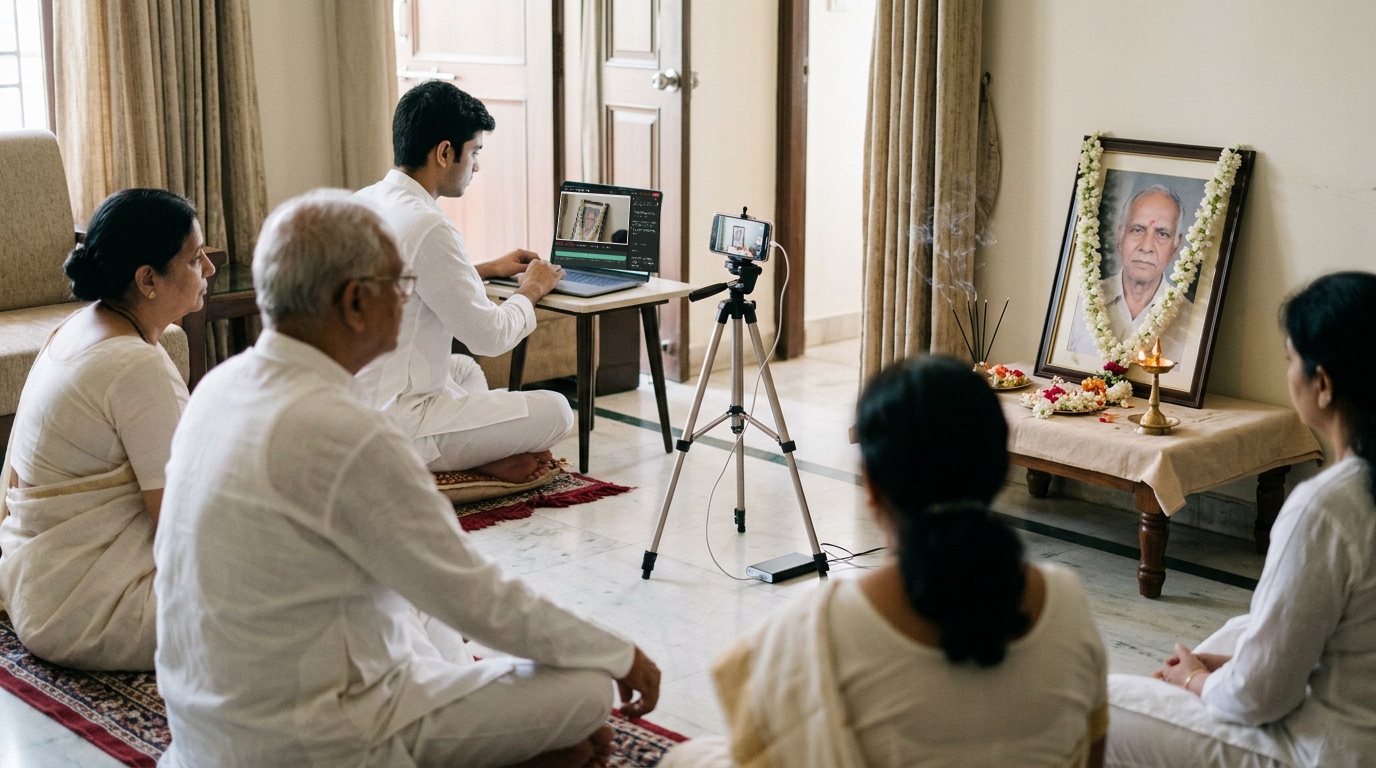
What you need
- 1 phone on a stand, facing the photo or the speaker
- A plug point or power bank
- A clip-on mic for the person speaking (optional)
- Good Wi-Fi or 4G
How to do it
- Tell Sae about the gathering. Press ✨ Create a session and write one line, like “Prayer meeting for Shri R. Krishnan, Thursday 4 pm”. Sae keeps everything calm and simple.
- Turn a phone into the camera. Press Invite guest, send the link on WhatsApp and open it on the phone.
- Add a simple tribute. Ask Sae for a quiet banner with the name and dates. There are no animations or loud colours.
- Go live. Press Go live a few minutes before the prayers begin.
Good to know
- Keep it unlisted, so only family and friends with the link can watch.
- Place the phone so it shows the photo and the speaker, not the faces of people who are grieving.
- Ask someone to stay near the phone in case it needs charging.
Set up your first show with Sae 冴え™ in a minute.Tell her about your show in a sentence; she does the rest.
Start free trialFree for 7 days, with every feature and 2 hours of live or recording. No card needed. Terms apply.