Guide · Business
Launch a product live, with a big reveal
Show your new product to customers live, with a reveal they’ll remember. The product, the price and a burst of confetti, all in one tap.
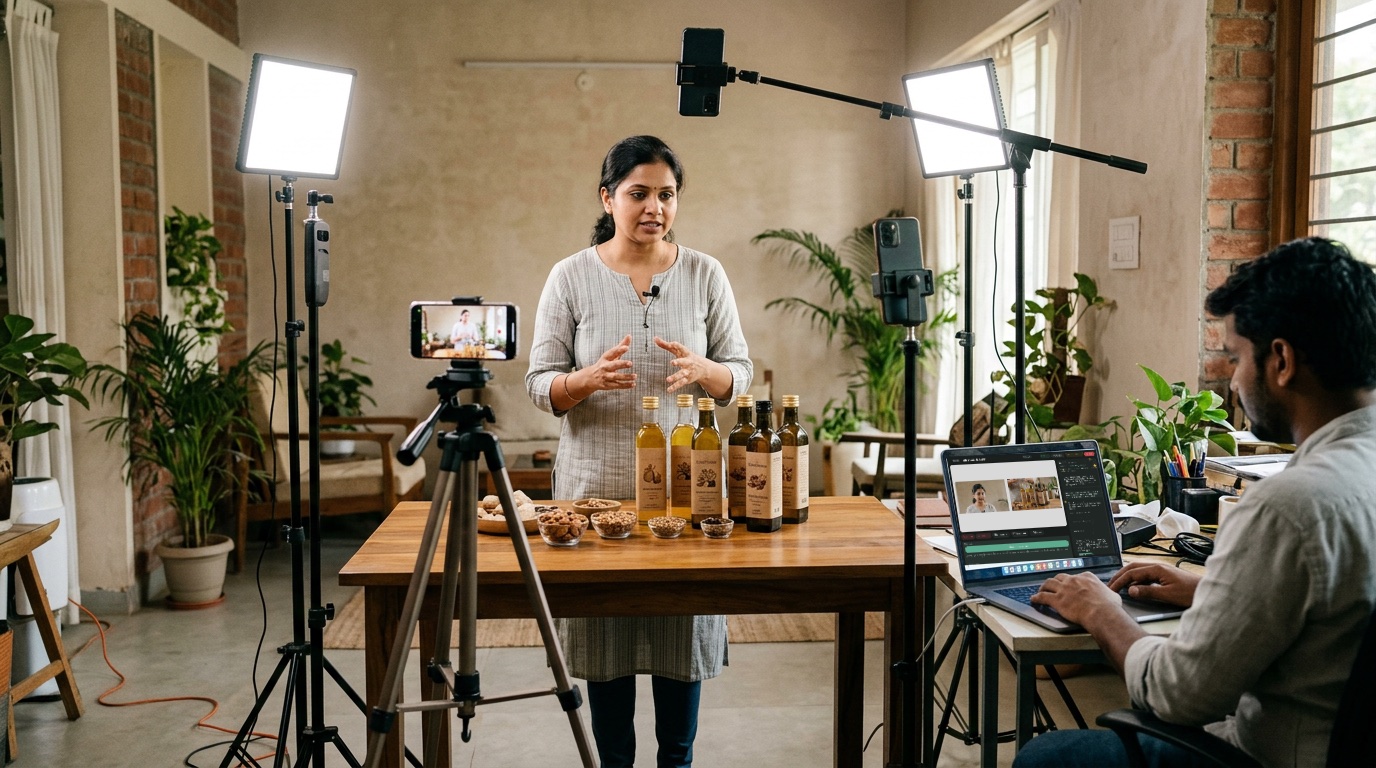
What you need
- A laptop or phone camera for the presenter
- A second phone on a stand, pointed at the product
- A clip-on mic (about ₹1,000–3,500 wireless)
- Good light on the product
How to do it
- Tell Sae about the launch. Press ✨ Create a session and write one line, like “Launch of our new water bottle, Friday 6 pm”.
- Add the product camera. Under People, press + Add a device and scan the code with the phone on the product.
- Plan the reveal. Open Sae and type “Plan my show”: welcome, the story, the reveal, the price, how to buy. Ask for confetti on the reveal.
- Go live. Press Go live. At the reveal, one tap shows the product, the price and the confetti together.
Good to know
- Ask Sae for a price banner, like “₹499, launch offer, free delivery”.
- Add a QR code to your shop or order form.
- Rehearse the reveal once before going live.
Set up your first show with Sae 冴え™ in a minute.Tell her about your show in a sentence; she does the rest.
Start free trialFree for 7 days, with every feature and 2 hours of live or recording. No card needed. Terms apply.